The handshake photo on your event landing page is free, and so are the drone shot in your teaser and the upbeat track under your aftermovie. Free to download, that is. Whether you may run them in a paid LinkedIn ad, print them on a sponsor banner or loop them in the hall during the coffee break is a different question. Each platform answers it on its licence page, and the answers differ more than most event teams expect.
We first published this list in 2016. For this update we opened every source again in October 2026 and read its licence page. Several of the original sources now redirect elsewhere, are mainly paid marketplaces or no longer state clear terms, so they are gone. What remains are 20 sources that are live, free to use and clear about their terms.
Before using an asset in your marketing, check that its licence covers the intended use. Below you will find 20 sources, the main terms to look out for and a five-step check to help your team document its choices.
Free does not mean cleared: what the licence actually allows
Most free platforms share three promises: no fee, commercial use allowed, no credit required. The exceptions sit in the fine print, and they matter precisely for marketing.
Why free media still needs a licence check
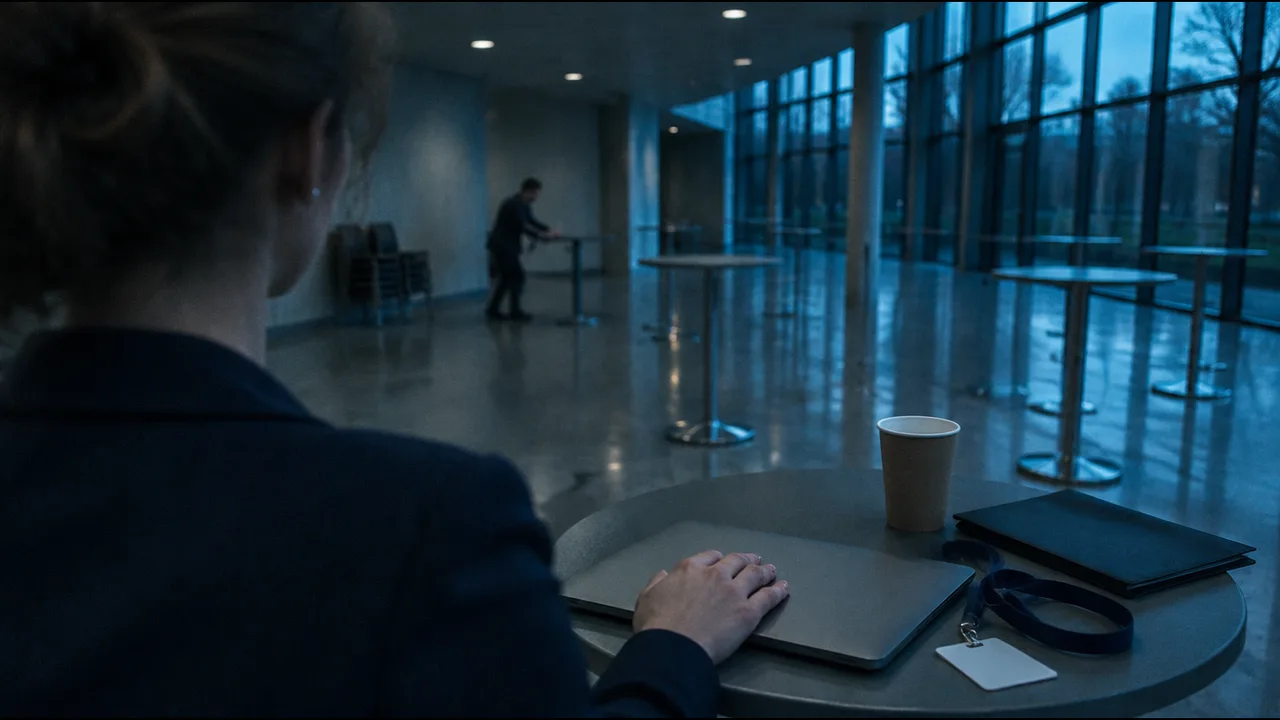
Each card is a different trap. A non commercial music licence excludes advertising and product promotion, so a sponsor reel is off limits. A search engine that does not verify licences passes the checking job straight back to you. And a clip whose model release you never see is fine as a background, but risky as the face of a paid campaign. Free platforms take the fee off the table. They do not take the responsibility.
The overview shows all 20 sources at a glance. “Credit” means whether the licence requires you to name the creator.
| # | Source | Media | Licence (as stated by the platform) | Credit |
|---|---|---|---|---|
| 1 | Free Music Archive | Music | Creative Commons, varies by track | Mostly yes |
| 2 | dig.ccMixter | Music | Creative Commons, filter for commercial use | Yes |
| 3 | Musopen | Classical music | Free of copyright restrictions | No |
| 4 | Freesound | Sound effects | CC0, CC BY or CC BY-NC per sound | Depends |
| 5 | YouTube Audio Library | Music, sound effects | YouTube licence or Creative Commons | Depends |
| 6 | Incompetech | Music | Creative Commons, paid licence without credit | Yes (free) |
| 7 | Unsplash | Photos | Unsplash License | No |
| 8 | Pexels | Photos, videos | Pexels licence | No |
| 9 | Pixabay | Photos, videos, music | Pixabay Content License | No |
| 10 | Burst (Shopify) | Photos | Burst licence | No |
| 11 | StockSnap | Photos | CC0 | No |
| 12 | Gratisography | Photos | Gratisography Free Photo License | No |
| 13 | Flaticon | Icons | Free with attribution, Premium without | Yes (free) |
| 14 | unDraw | Illustrations | unDraw licence | No |
| 15 | Material Symbols | Icons | Apache 2.0 | No |
| 16 | Coverr | Videos, music | Coverr licence | No |
| 17 | Mixkit | Videos, music, sounds | Mixkit Free License, some items restricted | No (free items) |
| 18 | Magnific (formerly Freepik) | Videos, vectors | Free with attribution, Premium without | Yes (free) |
| 19 | Openverse | Search engine | Creative Commons and public domain | Depends |
| 20 | Wikimedia Commons | Photos, media | Licence per file | Mostly yes |
Setting the tone, create the atmosphere with sound
The overview starts with music for a reason. Sound is where the licences diverge most, and where an event uses media in the most different ways: in a teaser online, in a sponsor reel, and as a walk-in loop in a full hall.
- Free Music Archive (1) hosts tracks under Creative Commons licences. Tracks under CC BY (credit required) and CC0 (no conditions) may be used commercially. Every licence with “NC” in its name excludes advertising and promotion, even for non-profits (FMA Licence Guide, 2026). Filter by licence before you fall in love with a track.
- dig.ccMixter (2) is the search front end of the ccMixter community and offers a filter for tracks that are free for commercial use. Many tracks carry a non commercial tag, so that filter is not optional.
- Musopen (3) offers classical recordings and sheet music that it describes as free of copyright restrictions. Mozart under a gala dinner video is a safe choice for a classic event.
- Freesound (4) is the place for sound effects: applause, a gong, room tone. Each sound carries CC0, CC BY or CC BY-NC. Older uploads may still use Sampling+, which Freesound reads as excluding advertising.
- The YouTube Audio Library (5) gives you music and effects that YouTube says will not be claimed through Content ID in your YouTube videos. Its help page does not address use outside YouTube. Treat it as a source for YouTube only.
- Incompetech (6) offers Kevin MacLeod’s library for free with a credit. Where a credit is impossible, such as radio or TV ads, corporate presentations or on-hold music, the site sells a standard licence instead.
That last point is easy to miss at events. A track that loops in the foyer has no description field. If the free licence requires a credit and you cannot show one, you need the paid licence. For music played in public at the venue, collecting societies may also be involved, which is a separate question from the download licence.
Nothing’s possible without pictures, sources for free stock pictures
Photos are the opposite case. Here the big platforms are generous, and the risk moves from the licence text to what is in the picture.
- Unsplash (7) allows free use, including commercial use, with no credit required. You may not compile its images into a competing service. Its paid tier, Unsplash+, advertises model and property releases as a member feature, which tells you what the free licence page does not promise.
- Pexels (8) explicitly allows ads, banners, social media and print. You may not show identifiable people in a bad light, imply that people or brands endorse your product, or sell unaltered copies (Pexels licence, 2026).
- Pixabay (9) covers photos, videos and music under its own Pixabay Content License, not CC0 as our 2016 version said. Credit is not required, but commercial use of content showing recognisable trademarks, logos or brands is prohibited.
- Burst (10), Shopify’s photo library, allows commercial use without credit. You may not resell the photos or build a competing service from them.
- StockSnap (11) publishes all images under CC0. You may not imply that the photographer or anyone shown endorses your business.
- Gratisography (12) is the quirky one. Its free licence allows commercial use but gives no warranty on trademark, publicity or privacy rights. The site also has an AI generated collection, so check what you are downloading.
Picture a teaser ad with a smiling stranger next to your sponsor’s logo. That is two of the prohibited uses in one image. The safer pattern: use free photos for mood and backgrounds, and your own event photos whenever a recognisable face carries a commercial message.
Say it with signs, free icons and vector graphics
Icons and illustrations carry little personal risk, so the deciding question becomes credit. On a slide that is easy. On a 40 pixel icon in a badge layout, it is not.
- Flaticon (13) lists more than 18 million icons and stickers (Flaticon, October 2026). Free downloads require you to credit the author; a Premium plan removes that obligation. Budget for it if the icons end up in print.
- unDraw (14) offers illustrations in a colour you choose, free for commercial use without credit. You may not redistribute them in packs or use them to train AI models.
- Material Symbols (15) is Google’s icon set with more than 2,500 glyphs, published under the Apache License 2.0. It is the safest choice for an event app or a programme layout.
Moving moving images, sources for free video material
Moving images combine both risks from above: people and brands in the frame, and music on the soundtrack. Pexels and Pixabay (8 and 9) also carry video, and three more sources are worth a bookmark for teasers, backgrounds and speaker intros.
- Coverr (16) offers videos and music for commercial use without credit. Its licence excludes AI training and supplies no model releases; logos and brands in a clip need their owners’ permission.
- Mixkit (17), made by Envato, offers videos, music and sound effects. Items under its Free License may be used commercially, including in social media marketing and online ads, without credit. Some items carry a Restricted License for personal use only, so check the label on each download.
- Magnific (18) is the new name of Freepik. Its free videos require attribution; subscribers do not have to credit. Mazwai, which was on our earlier list, and Videvo now both redirect to this page (checked October 2026).
Video teasers are where a brand logo sneaks in unnoticed. A coffee cup, a laptop lid, a jersey in the crowd: check the last frame as carefully as the first.
Two search engines for openly licensed media
If none of the libraries has the shot you need, two search engines widen the net. Both shift more checking work to you.
- Openverse (19), the successor to CC Search, searches more than 800 million images and audio files under Creative Commons and public domain licences. It states that it does not verify licensing information for individual works.
- Wikimedia Commons (20) holds more than 150 million freely usable media files (Wikimedia Commons, October 2026). Every file carries its own licence on its file page, often with share-alike conditions.
Both are excellent for venues, cities and historical images, the kind of material stock libraries rarely cover. Read the file page every time.
Using free media in event marketing: ads, social media and AI images
Keep a short record of the licence and the intended use for each asset. The following check helps your team answer approval questions without rereading every licence page.
The five minute licence check for every asset
- 1 Read the licence Open the licence on the download page, not the platform homepage. Music and Creative Commons licences change from item to item.
- 2 Match it to your use Website, organic social post, paid ad, print, or playback at the venue. Non commercial licences fail at the paid ad.
- 3 Check people and brands Recognisable faces in an ad and visible logos need clearance most free licences do not give.
- 4 Save proof Screenshot the asset page with licence and date, and keep the download link in your campaign folder.
- 5 Set credits and labels Add the required credit, and label realistic AI generated images or video where the law requires it.
Step 4 sounds bureaucratic until a platform changes its terms. Our 2016 version listed Pixabay as CC0; today it uses its own licence. A dated screenshot shows what applied on the day you downloaded.
Three uses deserve extra care:
- Paid ads: This is where non commercial licences, recognisable people and visible brands become a problem. Pexels and Pixabay both prohibit implied endorsement or trademark use, and an ad is the most likely place to breach that.
- Social media: Organic posts are allowed under most of the licences above, but music is the weak spot. A track that is fine on your website can trigger a claim on a video platform. Keep the licence screenshot ready.
- AI generated images: They avoid the model release problem but bring two new ones. The US Copyright Office concluded in January 2025 that purely AI generated material is not protected by copyright, and prompts alone are not enough. German copyright law similarly protects only personal intellectual creations (Section 2(2) UrhG). Competitors can therefore reuse a purely AI generated key visual. And realistic AI images of real people or places may need a visible label under the EU AI Act, which we explain in our guide to the EU AI Act transparency rules for event organisers.
This section is a practical guide, not legal advice. For a campaign with a large media budget, a short review by a lawyer costs less than a takedown.
Free media fill gaps. They work best inside a plan that defines which channels need which assets and when, which is the backbone of our B2B event marketing plan. If LinkedIn is your main channel, our guide on how to promote events on LinkedIn shows which formats perform. And once creators post from your event, you get authentic footage that no stock library has, as described in our article on event influencer marketing.
Once the visuals are licensed, they need a consistent home. With Converve, the event website and app run under your own domain and branding from one data source, so your key visual and speaker photos appear in one design across both.
Bottom line
Twenty sources are enough to fill almost every gap in an event campaign: music for the teaser, photos for the landing page, icons for the app, clips for the speaker intro. What separates a good choice from an expensive one is the licence. Free is not the same as cleared. Read the licence page, match it to the use, and keep the proof. Then the question from whoever signs off the campaign has a two-word answer: yes, documented.
If you want to talk about how your event website, app and matchmaking work together, get in touch with Converve.
Frequently Asked Questions
Where can I find free photos and videos for commercial use?
Unsplash, Pexels, Pixabay, Burst and StockSnap allow commercial use of photos without credit, and Pexels, Pixabay, Coverr and Mixkit do the same for many videos (licence pages, October 2026). Check the individual item: Mixkit marks some downloads as restricted to personal use.
Do I have to credit Unsplash, Pexels or Pixabay?
No. All three licences say credit is not required, though appreciated. Credit is required for free downloads from Flaticon and Magnific, for most Creative Commons music, and for files on Wikimedia Commons under attribution licences.
Can I use free stock photos in paid ads?
Usually yes, as Pexels lists ads and banners explicitly. The limits are recognisable people shown in a bad light or implying endorsement, and visible trademarks or logos, which Pixabay prohibits in commercial use. Free licences generally do not include model releases.
Can I use free music in an event video or at the venue?
In an online video, yes, if the licence allows commercial use and you add any required credit. Non commercial licences exclude advertising. For playback at the venue, a credit is often impossible, so choose a licence without credit duty or a paid licence, and clarify public performance with the relevant collecting society.
Are AI generated images a safe alternative to stock photos?
They avoid model release issues, but purely AI generated images are not protected by copyright according to the US Copyright Office (January 2025), so others may reuse them. Realistic depictions may also need a label under the EU AI Act. Check the terms of your AI tool as well.
What happened to Mazwai and Videvo?
Mazwai and Videvo now redirect to the video section of Magnific, formerly Freepik (checked October 2026), where free clips require attribution. Other sources from our 2016 list are mainly paid marketplaces or no longer state clear terms, so we removed them.